Geometry Area Calculator
📐 Select Shape
📏 Enter Dimensions
📐 Formula
Area
Enter dimensions to calculate
👁️ Visual Diagram
Key Features
Everything you need for geometry area calculations
Multiple Shapes
Calculate areas for circles, rectangles, triangles, parallelograms, trapezoids, ellipses, and regular polygons
Unit Conversion
Support for multiple units: cm, m, mm, inches, and feet with automatic conversion
Visual Diagrams
Interactive visual representations of shapes with labeled dimensions
Formula Display
See the mathematical formulas and step-by-step calculations for each shape
Real-time Calculation
Instant results as you type with precise mathematical calculations
Mobile Friendly
Responsive design that works perfectly on all devices and screen sizes
Perfect For
Discover how different professionals use our geometry area calculator
Students & Teachers
Perfect for geometry homework, classroom demonstrations, and learning mathematical concepts with visual aids.
Engineers & Architects
Quick area calculations for floor plans, material estimation, and construction project planning.
Homeowners & DIY
Calculate room areas for flooring, painting, landscaping, and home improvement projects.
Designers & Artists
Calculate areas for artwork, design layouts, and creative projects with precision.
Frequently Asked Questions
Everything you need to know about geometry area calculations
What shapes can I calculate areas for?
Our calculator supports eight common geometric shapes: Circle (πr²), Rectangle (length × width), Square (side²), Triangle (½ × base × height), Parallelogram (base × height), Trapezoid (½ × (base₁ + base₂) × height), Ellipse (π × semi-major axis × semi-minor axis), and Regular Polygon (n × s² × cot(π/n) / 4).
What units are supported?
The calculator supports multiple units including centimeters (cm), meters (m), millimeters (mm), inches (in), and feet (ft). Results are automatically converted to show equivalent areas in different units.
How accurate are the calculations?
All calculations use precise mathematical formulas with high precision. For circles and ellipses, we use the mathematical constant π (pi) with multiple decimal places to ensure accuracy. Results are to appropriate decimal places for practical use.
Can I see the formulas being used?
Yes! The calculator displays the mathematical formula for each shape and shows how your input values are substituted into the formula. This makes it perfect for educational purposes and understanding the mathematical concepts.
Is this tool suitable for professional use?
Absolutely! While the tool is designed to be user-friendly for students, it provides professional-grade accuracy suitable for engineering, architecture, construction, and design work. The unit conversion feature makes it practical for international projects.
How do I calculate the area of a regular polygon?
Select the "Polygon" option and enter the number of sides (n) and the side length (s). The calculator uses the formula A = (n × s² × cot(π/n)) / 4 to compute the area. This works for any regular polygon with 3 or more sides, including pentagons, hexagons, octagons, and more.
What Users Say
Join thousands of satisfied users who trust our geometry calculator
"This calculator saved me so much time on my geometry homework! The visual diagrams really help me understand the concepts, and the formula display is perfect for learning."
"As an architect, I use this tool daily for quick area calculations. The unit conversion feature is incredibly useful when working with international clients and different measurement systems."
"Perfect for my home renovation project! I calculated the exact area for flooring and paint coverage. The interface is intuitive and the results are always accurate."
Based on 3,247+ user reviews
Join our community of satisfied users

Calculate salary hike percentage, new salary after raise, and compare job offers. Free online tool for HR, job seekers, and professionals to estimate salary growth and increments.
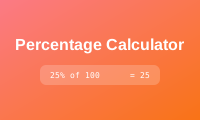
Calculate percentages easily with our online percentage calculator. Find percentages, percentage increase/decrease, and percentage change. Perfect for students, business, and daily calculations.
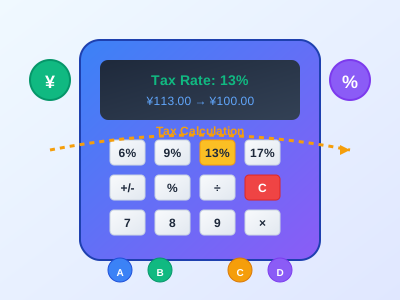
Calculate tax rates, tax amounts, and pre/post-tax amounts online. Support multiple calculation modes for business, finance, and personal tax calculations.