Online Teleprompter
Click to upload or drag and drop
TXT or DOCX files
⌨️ Keyboard Shortcuts
Professional Features
Everything you need for professional video recording and presentations
Fullscreen Mode
Distraction-free fullscreen display with overlay controls for professional use
Variable Speed Control
Adjust scrolling speed in real-time with slider or keyboard shortcuts
Mirror Mode
Horizontal flip for use with hardware teleprompter setups
Custom Styling
Customize font size, text color, and background color to your needs
Drag & Drop Import
Import scripts from TXT files with drag and drop functionality
Auto Save
Automatically saves your script and settings in browser storage
Perfect For
Discover how professionals use our teleprompter for various content creation needs
Video Creators & YouTubers
Record professional videos with smooth script delivery. Perfect for tutorials, reviews, and educational content.
Live Streamers & Broadcasters
Maintain eye contact with your audience while delivering scripted content during live streams and broadcasts.
Public Speakers & Presenters
Deliver confident presentations and speeches with seamless script prompting for conferences and events.
Actors & Voice Artists
Practice lines and deliver performances with professional teleprompter support for auditions and recordings.
Teachers & Educators
Create engaging online courses and educational videos with smooth content delivery and professional appearance.
News Anchors & Journalists
Deliver news reports and interviews with professional teleprompter support for broadcast quality content.
Frequently Asked Questions
Everything you need to know about using our online teleprompter
How do I use the teleprompter for video recording?
Simply paste your script, adjust the font size and speed to your preference, then click "Start Teleprompter" and "Fullscreen" for the best experience. Position your camera behind or near your screen for natural eye contact.
What is mirror mode and when should I use it?
Mirror mode horizontally flips the text, which is essential when using hardware teleprompter setups with beam-splitter glass. The reflected text appears normal to you while the camera sees through the glass.
Can I control the teleprompter while recording?
Yes! Use keyboard shortcuts: Space to pause/play, arrow keys to adjust speed, and R to reset. In fullscreen mode, there are also on-screen controls that appear at the bottom.
Does the teleprompter save my scripts?
Yes, your script and settings are automatically saved in your browser's local storage. Your content will be there when you return, but it's recommended to keep backups of important scripts.
What file formats can I import?
Currently, you can import plain text (.txt) files and drag them directly into the upload area. For other formats, copy and paste the text manually.
Is this teleprompter free to use?
Yes, our online teleprompter is completely free with no registration required. All features are available without any limitations or hidden costs.
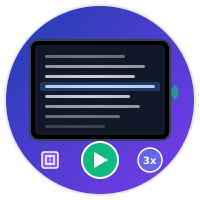
Professional online teleprompter with customizable font size, scrolling speed, colors, and mirror mode. Perfect for video creators, speakers, streamers, and content creators.
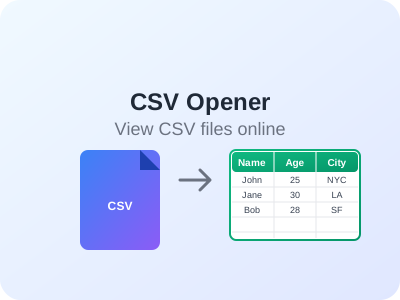
Open and view CSV files online without downloading software. Sort columns, filter data, copy selections, and export filtered results. Perfect for data analysis and file preview.
Count characters, words, sentences, and paragraphs in your text. Perfect for writers, SEO specialists, students, and content creators. Real-time counting with advanced statistics.