TLDs Batch Viewer
Key Features
Powerful batch viewing with keyboard navigation and progress tracking
Batch Processing
Enter multiple SLDs at once and navigate through them seamlessly with intuitive controls
Keyboard Navigation
Use arrow keys to quickly move between domains for efficient workflow
Progress Tracking
See your current position in the list at a glance with real-time updates
Detailed TLD Info
View comprehensive TLD information for each domain in an embedded viewer
Clean Interface
Focus on the information that matters without distractions or clutter
Fast & Efficient
Quickly review multiple domains without opening multiple tabs or windows
Perfect For
Discover how different professionals use our TLDs batch viewer
Domain Researchers
Quickly research available TLDs for multiple brand names and identify registration opportunities across different extensions.
Marketing Professionals
Review domain portfolios of competitors and analyze TLD strategies for brand positioning and market analysis.
Portfolio Managers
Review and manage your domain portfolio efficiently by checking TLD information across multiple domains at once.
Brand Protection Teams
Check TLD availability across multiple brand variations to protect your brand identity and prevent cybersquatting.
Frequently Asked Questions
Everything you need to know about the TLDs Batch Viewer
What is a second-level domain (SLD)?
A second-level domain (SLD) is the part of a domain name that comes before the top-level domain (TLD). For example, in "google.com", "google" is the SLD and ".com" is the TLD. This tool helps you view all available TLDs for a given SLD.
Can I enter domains with extensions?
Yes! The tool automatically extracts the SLD from full domain names. If you enter "google.com", it will extract "google" as the SLD. You can enter either just the SLD or the full domain name.
How many domains can I check at once?
There's no strict limit on the number of domains you can enter. However, for optimal performance and ease of navigation, we recommend processing batches of 10-50 domains at a time.
What keyboard shortcuts are available?
You can use the Left Arrow key to go to the previous domain and the Right Arrow key to go to the next domain. This makes navigation much faster when reviewing multiple domains.
Is my data stored or shared?
No, all processing happens in your browser. Your domain list is not sent to our servers or stored anywhere. The tool only loads external TLD information pages in the iframe for your review.
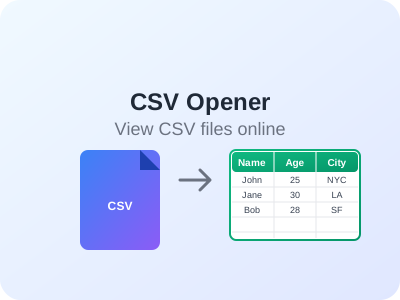
Open and view CSV files online without downloading software. Sort columns, filter data, copy selections, and export filtered results. Perfect for data analysis and file preview.

Convert text between different cases: UPPERCASE, lowercase, Title Case, camelCase, snake_case, kebab-case. Perfect for writers, developers, and content creators.

Full-featured online Markdown editor with live preview, file import/export, multiple themes, and PDF export. Edit Markdown files directly in your browser with real-time preview.